The setup
01
The AI writes the code. You push. CI fails.
Pipeline status
Failed
Run tests
✕ Build failed in CI
1 failing pipeline · 0 passing checks
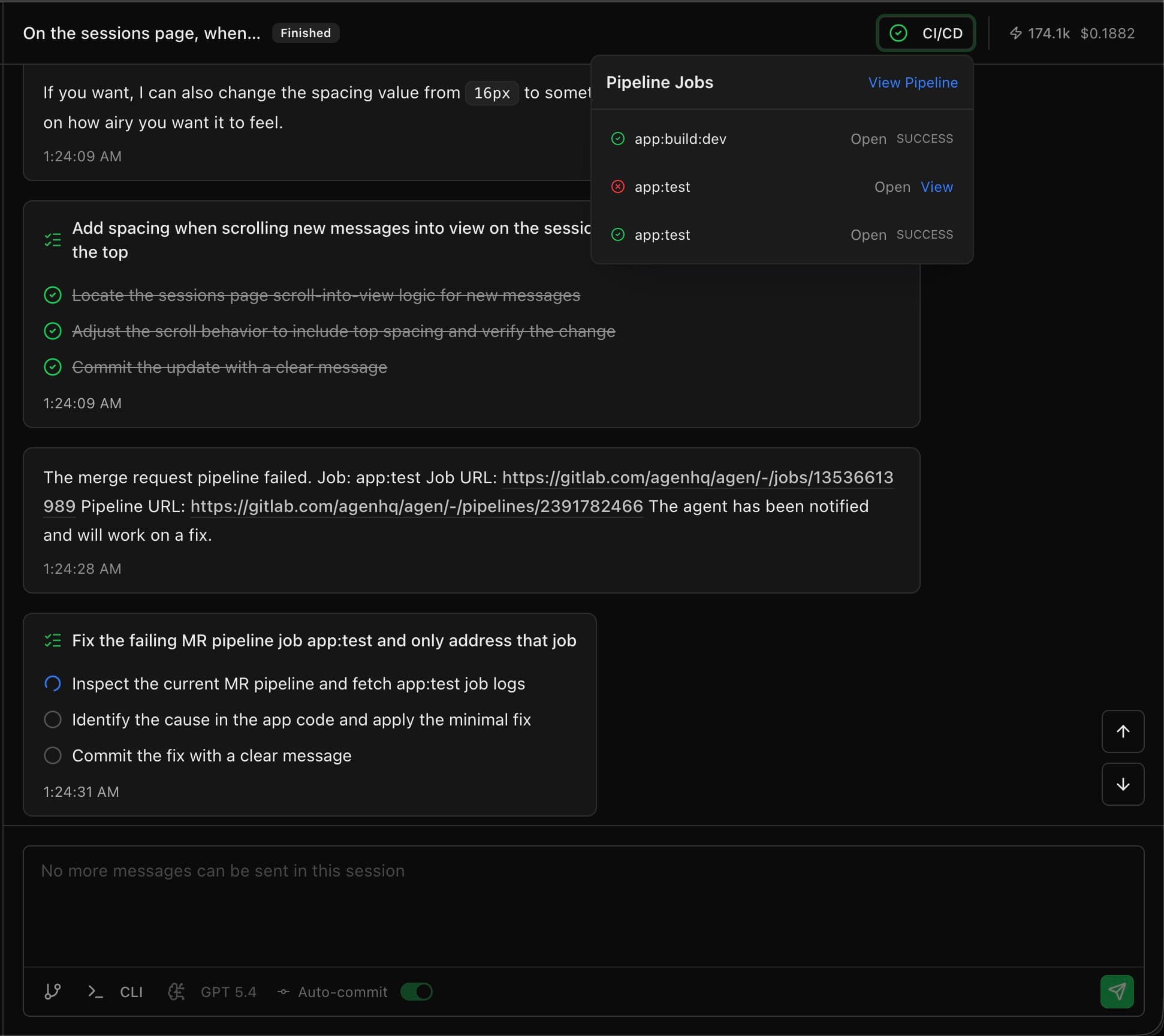
When the pipeline breaks, the agent doesn't stop and ask for help. It reads the error logs, identifies the fix, applies it, and re-runs — until green. No hand-holding. No "it works on my machine."
The AI writes the code. You push. CI fails.
You read the logs. Copy the error. Paste it back to the AI. It tries again. CI fails again.
You're now the middleware between an AI and your CI system.
The agent implements your task, commits, and pushes. Standard so far.
Your existing pipeline — GitHub Actions, GitLab CI, whatever you use. The agent doesn't bypass it.
Missing dependency. Type error. Linting violation. Failing test. Environment variable not set. It happens.
The agent pulls the full CI output, identifies what failed and why.
Installs the dependency. Fixes the type. Updates the config. Adjusts the test.
New commit. Pipeline runs again. If it fails again — repeat from Step 4.
Only when CI is green does the agent mark the PR as ready for review. What you see is a clean PR with passing checks.
Not theoretical. These are the kinds of failures Agen agents fix every day.
Missing packages not in `package.json` or `requirements.txt`
Version conflicts between packages
Lock file out of sync
TypeScript type errors
Import path issues
Missing environment variables in the build config
Tests that fail because the implementation changed
Snapshot tests that need updating
Test fixtures that reference outdated data
ESLint violations
Prettier formatting issues
Code style rules the agent didn't know about on first pass
Docker build failures
Missing CI environment variables
Pipeline step ordering issues
Workspace package references that break after a dependency update
Build scripts that fail because one repo changed before another
Shared config mismatches across frontend and backend projects
| Tool | Pipeline awareness | What happens when CI fails |
|---|---|---|
| Agen | Full — reads logs, fixes, re-runs automatically | Agent iterates until green. You see a passing PR. |
| Cursor | GitHub Actions only — auto-fix available on Cloud Agents (Teams plan) | Can fix GitHub Actions failures. Other CI systems not supported. |
| Devin | Self-healing code — reads errors and iterates | Similar approach. Devin iterates on failures in its sandbox. |
| GitHub Copilot | None | Produces PRs. If CI fails, you fix it yourself. |
| Claude Code | None | Writes code. Doesn't interact with your CI/CD system. |
Agen and Devin are closest here. The difference is that Agen's pipeline fixing works across multi-repo sessions — if a CI failure in your frontend repo is caused by a change in your backend repo, the agent understands the connection and fixes the root cause, not just the symptom.
Every PR that reaches your review queue has green CI checks. You're reviewing working code, not triaging failures.
First time the agent hits a linting rule it didn't know about, it fixes it. Next time, it writes code that passes on the first try. The agent adapts to your specific CI configuration.
Pipeline failure in one repo caused by a change in another? The agent traces the issue across repos and fixes the root cause. Single-repo tools cannot do this.
The agent owns the pipeline. You own the merge button.
$20 free credits · No credit card · No setup