Build Health
CI pipeline fails on main or protected branches
Build time increases beyond threshold
Flaky tests detected (pass/fail inconsistency)
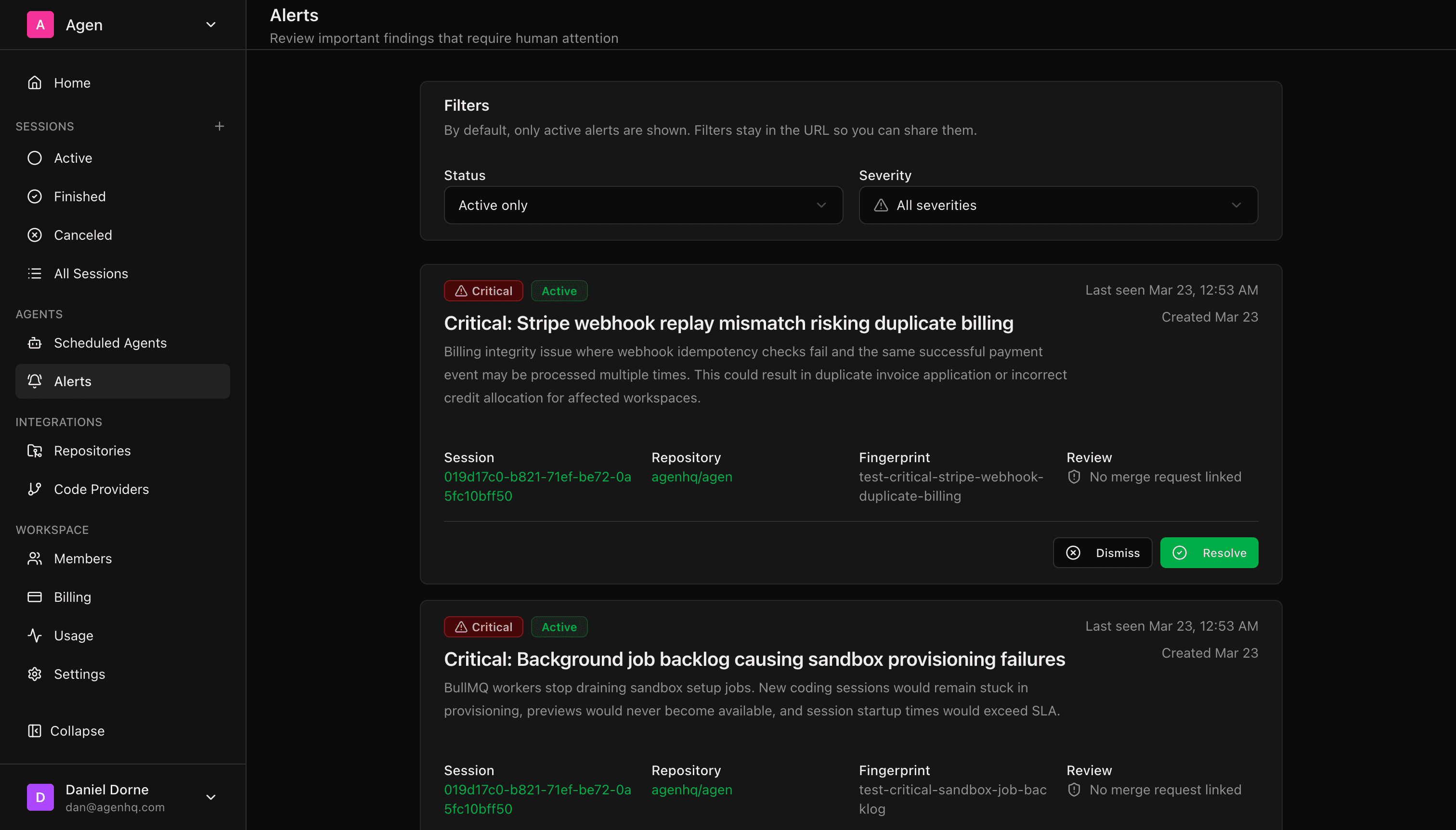
Configure agents to monitor your codebase and alert you when something needs attention. Broken builds, security issues, performance regressions — caught and reported before your users notice.
Right now, how do you know when something breaks? A Slack message from a customer. A spike in your error tracking. A teammate saying “hey, is the API down?”
By the time you know, your users already know. The damage is done.
Monitoring tools tell you something is wrong. They don't tell you why or how to fix it. You still need to open the codebase, trace the issue, write the fix, and push it through CI.
What if the agent that watches your code could also explain the problem and propose the fix?
Tell the agent what matters to you. “Watch the CI pipeline on main.” “Check for dependency vulnerabilities weekly.” “Alert me if test coverage drops below 80%.”
The agent runs in the background — checking builds, scanning dependencies, running tests, watching for regressions. You choose the frequency.
A build fails on main. A critical CVE is found in a dependency. Test coverage dropped after last week's merge spree.
Not just “something broke.” The alert includes: what happened, which files/services are affected, the root cause analysis, and a recommended fix.
For configured alert types, the agent can automatically open a PR with the fix. You review and merge — same workflow as any Agen task.
CI pipeline fails on main or protected branches
Build time increases beyond threshold
Flaky tests detected (pass/fail inconsistency)
New CVEs in your dependency tree
Outdated packages with known vulnerabilities
License changes in dependencies
Test coverage drops below your threshold
Linting violations introduced
Dead code or unused imports accumulating
API response time regressions
Bundle size increases beyond threshold
Database query performance degradation
Code changes without corresponding doc updates
README out of sync with actual setup steps
API docs that don't match current endpoints
| Capability | Traditional Monitoring (Datadog, PagerDuty, etc.) | Agen Alerts |
|---|---|---|
| Detects issues | ✓ | ✓ |
| Notifies you | ✓ | ✓ |
| Explains root cause in code | ✗ — shows metrics, not code | ✓ — traces to specific files, commits, dependencies |
| Proposes a fix | ✗ | ✓ — recommended fix with diff |
| Opens a PR with the fix | ✗ | ✓ — optional auto-fix |
| Works across repos | Varies | ✓ — traces issues across multi-repo sessions |
Agen Alerts don't replace your monitoring stack — they sit on top of it. Datadog tells you latency spiked. Agen tells you the N+1 query in users.ts line 47 is the cause and opens a PR to fix it.
Alerts and Scheduled Agents work together naturally.
Schedule: “Every night at 2 AM, scan all dependencies for vulnerabilities”
Alert trigger: “If a critical or high severity CVE is found”
Action: “Open a PR with the patch and notify me on Slack”
Budget: “$5 per run”
You configure it once. Every night the agent scans, and you only hear about it when something needs your attention. If nothing is found, silence. No noise.
This is the difference between a monitoring dashboard you have to check and an agent that tells you when to act.
| Tool | Proactive alerts? | Auto-fix from alert? |
|---|---|---|
| Agen | ✓ — configurable monitors with smart notifications | ✓ — opens PR with fix |
| Cursor | ✗ | ✗ |
| Devin | ✗ | ✗ |
| GitHub Copilot | ✗ | ✗ |
| Claude Code | ✗ | ✗ |
This is a full column of ✗. No other AI coding tool has agent-to-human alerting. They're all reactive — you assign a task, they do it. Agen is the only one that proactively tells you when something needs attention.
Agents monitor. Agents alert. Agents fix.
$20 free credits · No credit card · No setup